


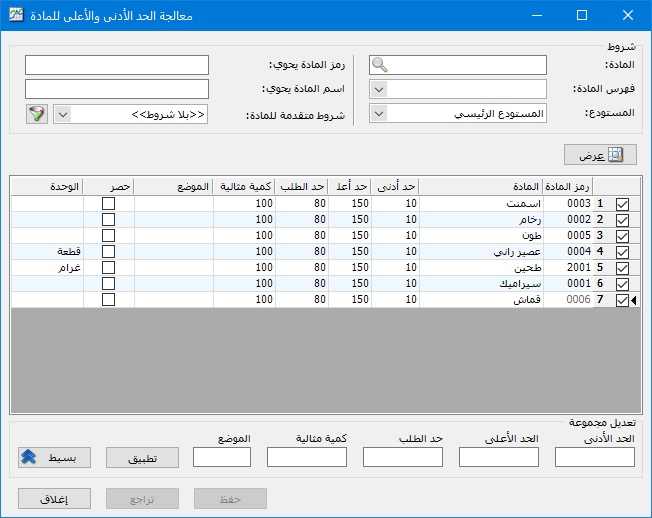
Use this window to update fields on the Warehouse Information tab for a group of item records: maximum level, minimum level, ideal quantity, reorder point and location. The window contains the following fields:
.
.
Conditions: Use these filters to restrict updates to matching items. The available conditions are:
- Item: Select one specific item.
- Item Category: Select the category whose item minimum and maximum levels you want to update.
- Warehouse: Select the warehouse for which item minimum and maximum levels will be set.
- Item Code Contains: Enter part of a code to display items whose codes contain that text.
- Item Name Contains: Enter part of a name to display items whose names contain that text.
Show: Click this button to display the minimum, maximum, reorder quantity, ideal quantity and location for items matching the filters.
After displaying the items, edit the fields individually for each item or update all displayed items at once by clicking Advanced. Fields for maximum level, minimum level, reorder point, ideal quantity and location appear below the window. Enter the new value beside each relevant field, then click Apply to update the displayed items. Finally, click Save to store the changes in the item records.
.


