


Confidentiality Levels #
Use this window to define the confidentiality levels required by your database. Four levels are predefined: Public, Private, Confidential and Highly Confidential. To add another level, click Add New Record on the window toolbar.
.
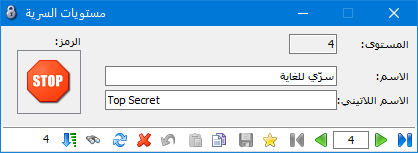
.
You can also add levels from Permissions > Confidentiality Levels.
Change the System Administrator Password #
Choose Permissions > Change System Administrator Password. In the following window, enter the current password, then enter and confirm the new password, as shown below:
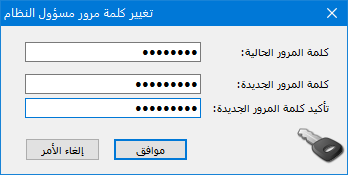
.


