


Account-specific analysis breaks an account into detailed components without adding subaccounts to the main chart of accounts. It enables detailed expense and income reports. To define account-specific analysis, open theAccount Recordand select Account-Specific Analysis.
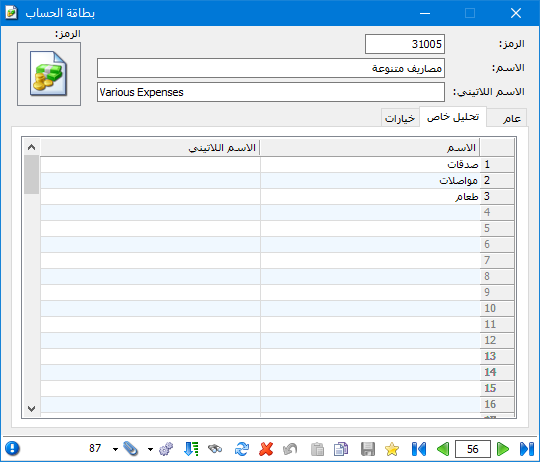
For example, a Miscellaneous Expenses account may include donations, transport and meals. Instead of defining a subaccount for each expense, use account-specific analysis to identify each component when needed, as shown below:
.
.
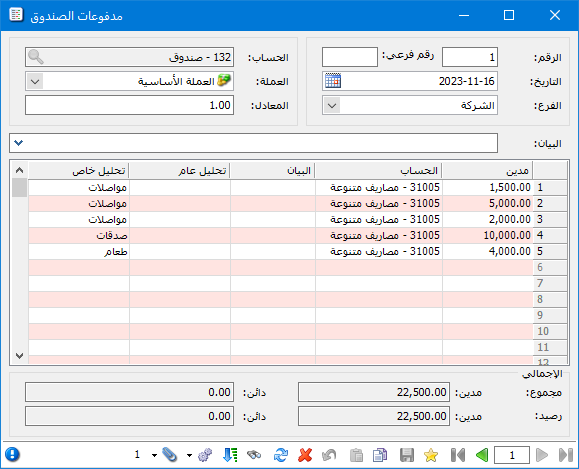
Add an Account-Specific Analysis column to the journal entry. When paying 22,500 Syrian pounds in miscellaneous expenses, split the amount in the entry according to the analysis items defined in the account record, as shown below:
.
.
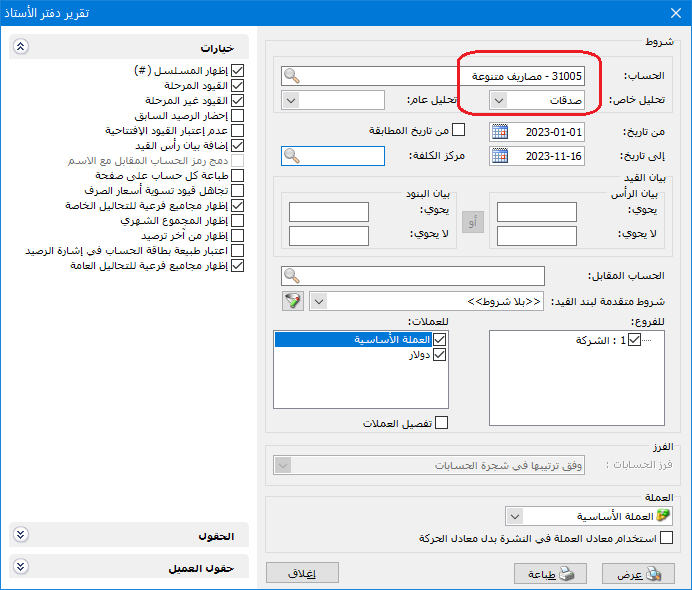
To find total donations in the general ledger report, enter Miscellaneous Expenses in Account and Donations in Account-Specific Analysis, as shown below:
.
.
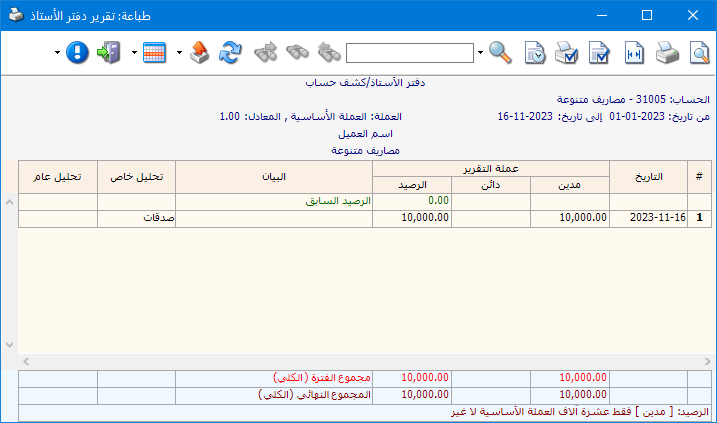
The following report is produced:
.
.
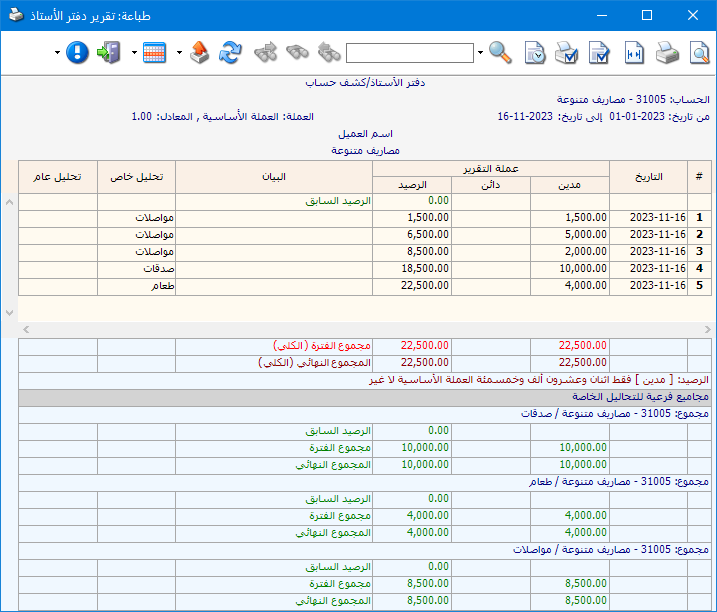
You can also enable Show Subtotals for Account-Specific Analyses in the general ledger report. Totals for each analysis item of the selected account then appear at the bottom of the report, as shown below:
.
.
Note: Account-specific analysis belongs to one particular account and cannot be requested independently of it. In the example, you cannot request Donations without also specifying its parent account, Miscellaneous Expenses.
.


