


Audit logging complements user definitions and permissions. An effective permissions system should be supported by a record of user operations. Logging becomes especially useful when several users have overlapping permissions, because the administrator can identify who performed a particular action.
Al Mizan .NET can monitor most database operations through a detailed historical log. It records the affected window and record description, such as Sales Invoice 5; the operation type, including Add, Edit, Delete, View, Print, Sign In or Sign Out; the computer, user, date and time.
Enable Audit Logging: #
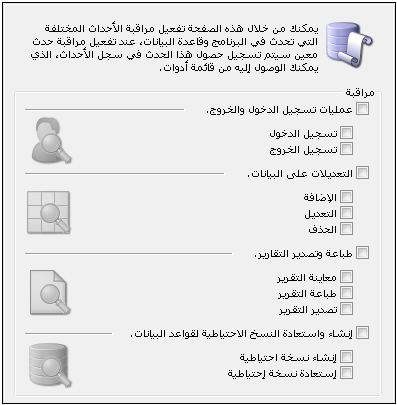
Open the Audit Logging tab in General Settings to choose the operations to monitor or stop logging when it is no longer required. You can monitor database sign-ins and sign-outs, data changes, report printing and export, and database backup creation and restoration, as shown below:
.
Audit Log: #
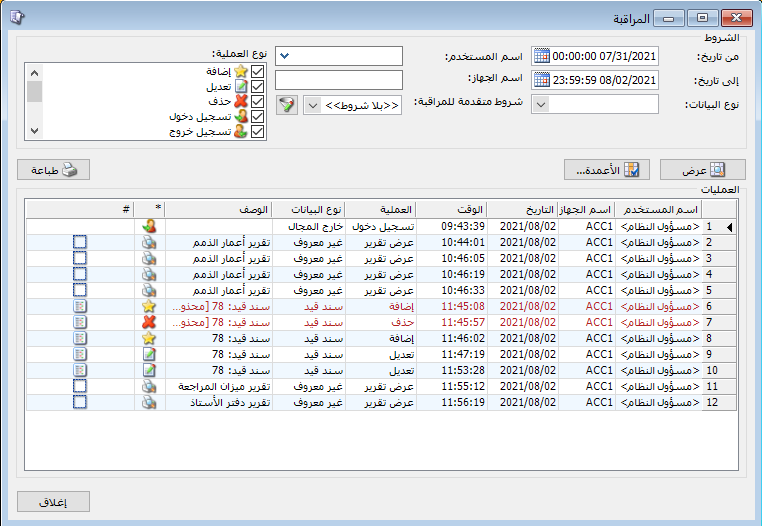
After enabling logging, open Audit Log to review recorded operations and return to their source records, such as an invoice, journal entry or item record. Filter log entries using the following conditions:
From Date / To Date: Specify a date range to display operations recorded within that period.
Data Type: Select a data type, such as Account Record, Item Record or Invoice, to display only its log entries.
User Name: Select a user to display log entries for operations performed by that user.
Computer Name: Select a computer to display log entries for operations performed from it.
Operation Type: Select the recorded operation to display, such as Add, Delete or Edit.
.
Show: #
Display log entries matching the preceding conditions.
Columns: #
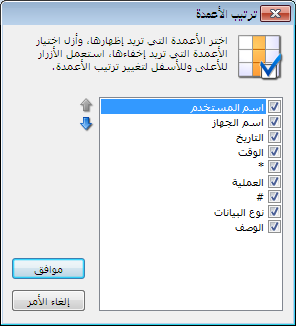
Choose the report fields and arrange them using the two blue arrows in the columns window, as shown below:
.
Print: Print the information displayed in the report.
Delete Audit Log Entries: #
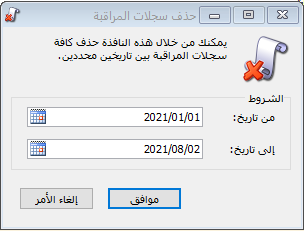
You can delete old log entries when they are no longer required, optionally restricting deletion to entries between two specified dates, as shown below:
.
View Audit Log Entries for a Specific Record: #
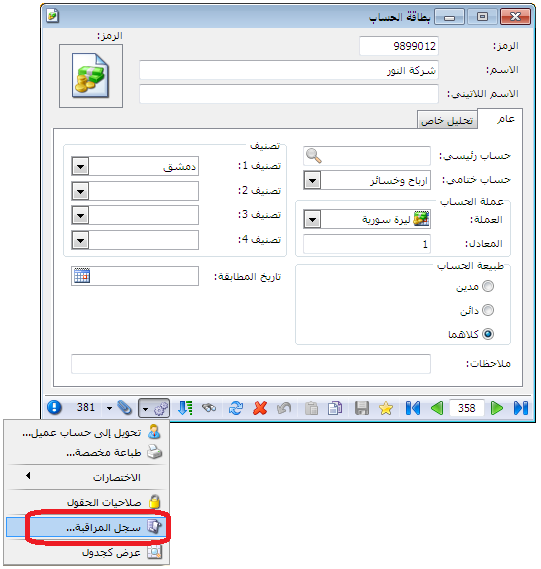
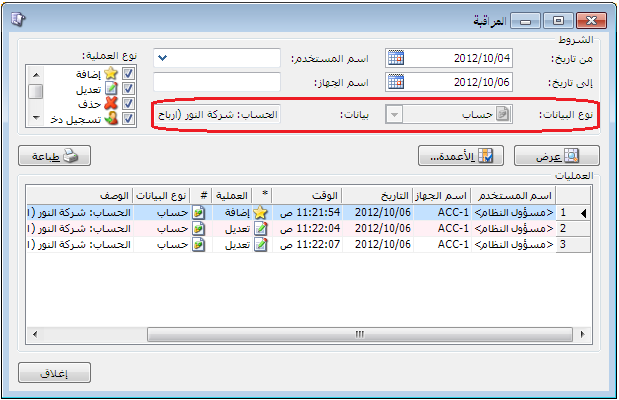
Al Mizan .NET lets you open audit entries associated with a particular record
such as an item record, account record or Purchase Invoice 1 directly from that record. Choose Operations > Audit Log. Data Type and the record description are filled automatically and appear as gray read-only fields, as shown below:
.


