


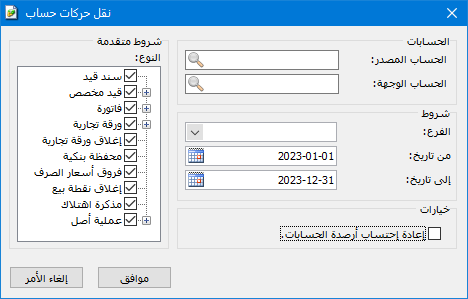
This window transfers transactions from one account to another. It saves time when there are many transactions of different types and lets you restrict the transfer to selected types. For example, transfer only specified invoices recorded against the customer Hossam, only cash amounts or only commercial papers. You can also restrict transfers to a date range or branch. Open Accounting > Transfer Account Transactions. The window contains these options:
.
.
Source Account: The account from which transactions will be transferred.
Destination Account: The account to which transactions will be transferred.
Conditions: #
Branch: Select a company branch to transfer only transactions recorded in that branch.
From Date / To Date: Specify the date range. Only transactions within that period are transferred.
Advanced Conditions — Type: Select a data type to transfer only its transactions, such as invoices or journal entries.
Options — Recalculate Account Balances: Enable this option to recalculate the source and destination account balances after the transfer so they display correctly in the software. Enabling it is recommended when transferring account transactions.
Note:
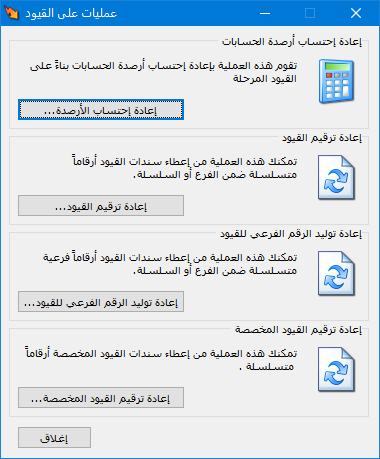
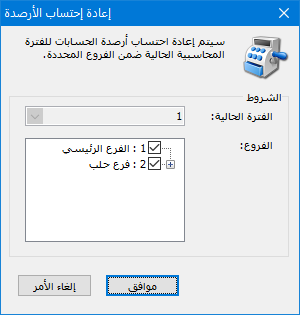
If you forgot to enable balance recalculation during the transfer, open Journal Entries > Journal Operations, choose Recalculate Balances and click OK, as shown below:
.
.


