


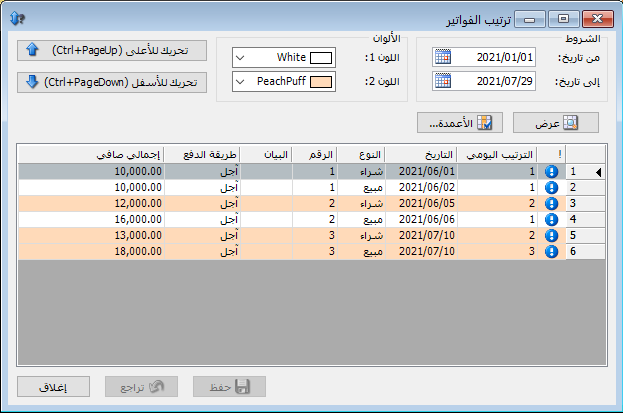
Use this window to review invoices stored in the database and change their order. Ordering affects costs and profits when several invoices occur on the same day. For example, if a purchase invoice and a sales invoice share a date, placing the sales invoice after a particular purchase invoice, or after the first purchase invoice, changes which purchase costs are available when sales costs and profits are calculated. The result can differ when purchase prices vary between purchase invoices.
Open this window from Items > Arrange Invoices:
.
.
Select the invoice to move with the left mouse button, then choose Move Up or Move Down to change its position.
.


