


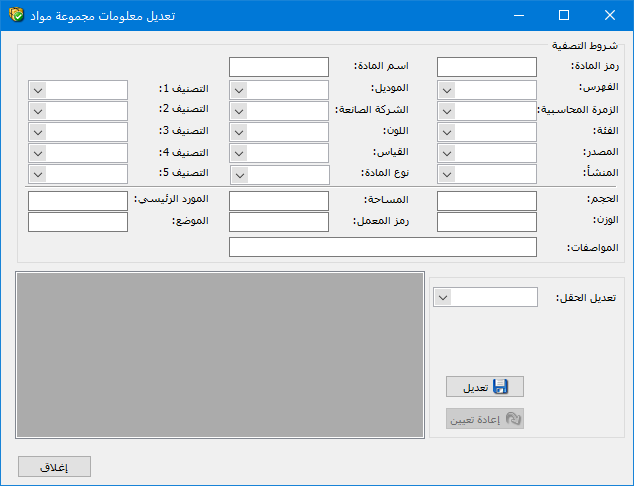
Use this window to update fields on the Information tab of item records, as well as Item Type on the Advanced tab. The item update window shown below contains these options:
Filter Conditions: These fields restrict the update to items that meet the selected conditions. For example, selecting an item category applies the changes only to items in that category.
Field to Update: Select the field to change in the item records. For example, choose Category if you want to change the category to which the items belong.
New Value: Enter the value that the updated field should contain.
.
.
Update: Click Update to apply the new value to the selected fields.
Reset: Click Reset to clear the filter conditions and start another update operation.
.


