


General analysis works similarly to account-specific analysis, with one main difference: it is defined independently of accounts rather than being tied directly to one account. Choose Accounting > Account Analysis to open the window and define general analysis items, as shown below:
.
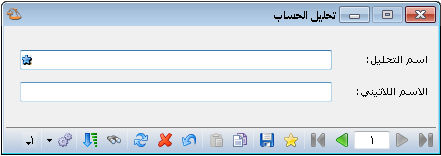
.
Example:
Suppose Miscellaneous Expenses includes donations, transport and meals, defined as account-specific analysis items. Your company also has three employees, Samer, Adel and Ziad, each receiving transport expenses. You want to identify transport payments for each employee without opening separate transport accounts for them or for transport as a whole. Proceed as follows:
On the Account-Specific Analysis tab, divide Miscellaneous Expenses into analysis items, including Transport.
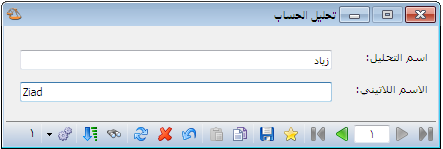
Define general analysis items using the names of the employees receiving transport payments. Choose Accounting > Account Analysis and enter the employee names, as shown below:
.
.
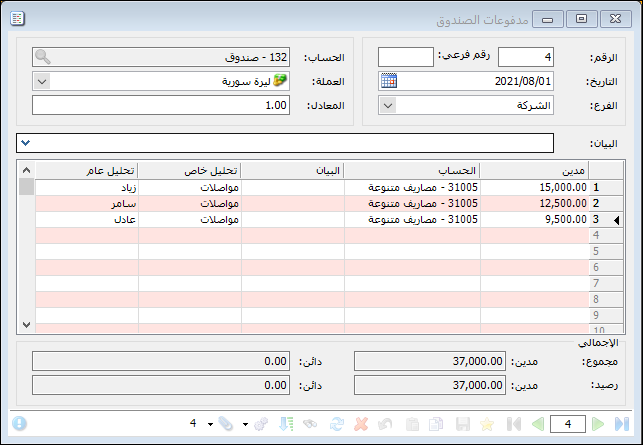
Enable the General Analysis and Account-Specific Analysis columns in Cash Payments, then enter each employee cash transport payment, as shown below:
.
.
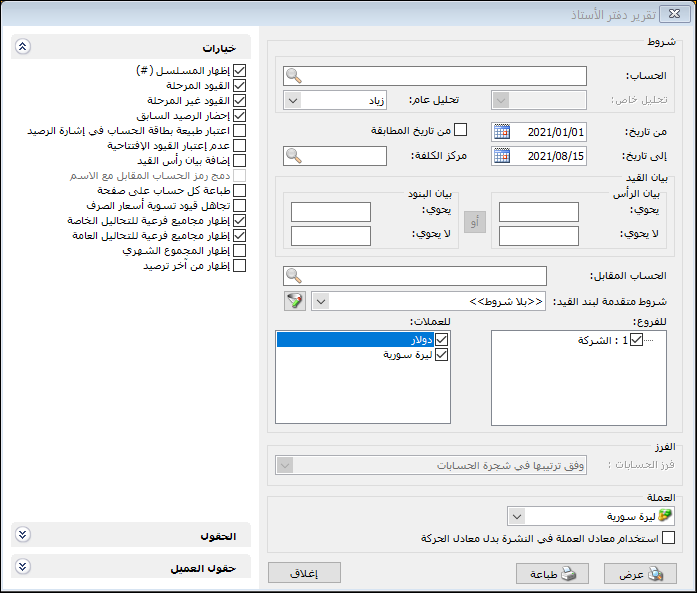
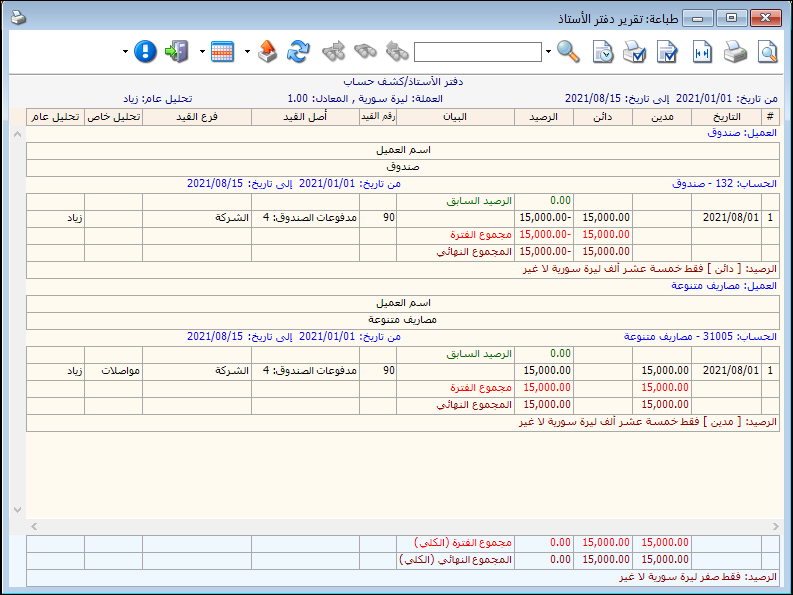
You can now request a general ledger report using only a general analysis item, without entering Miscellaneous Expenses or an account-specific analysis item. Selecting Ziad, for example, displays transport payments made for Ziad, as shown in the following two illustrations:
.
.


